
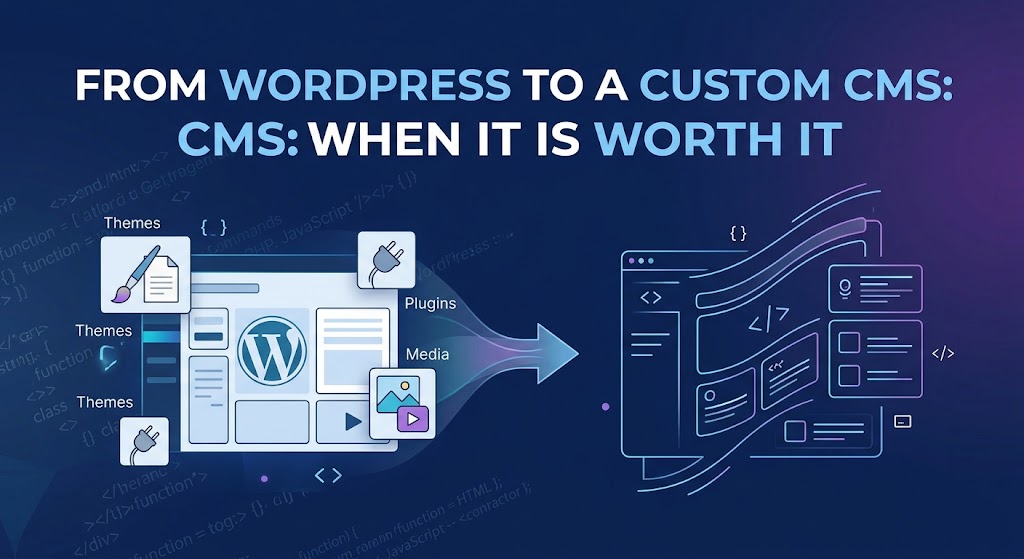
WordPress runs a huge share of the web — depending on whose numbers you trust, somewhere around 41–44% of all websites and roughly 59–62% of sites with an identifiable CMS. That dominance isn't an accident. For most businesses, WordPress is still the right call: fast to launch, cheap to staff, and backed by an ecosystem of over 60,000 plugins and 14,000+ themes.
But "most businesses" isn't "every business." At a certain point — usually somewhere between "we've outgrown our plugins" and "our developer just quit and nobody else understands this stack" — the question of a custom CMS stops being hypothetical. This post is about how to tell whether you've actually hit that point, or whether you're just having a bad week with Elementor.
Why WordPress Wins by Default
Before talking about when to leave, it's worth being honest about why WordPress became the default in the first place:
- Speed to launch. A functional site can go live in days, not months.
- Low hiring risk. WordPress developers are everywhere, so you're never locked into one person.
- Plugin coverage. SEO, forms, e-commerce, membership — there's almost always a plugin instead of custom code.
- Content editing for non-technical teams. Marketing and content staff can publish without touching code.
These are real, durable advantages. Any custom CMS conversation has to start by acknowledging what you're giving up, not just what you're gaining.
The Real Cost of Staying on WordPress
WordPress's size is also its biggest liability. Because it powers such a large share of the web, it's the most heavily targeted CMS on the internet — security researchers logged over 11,000 new WordPress vulnerabilities in a single recent year, with the large majority originating in third-party plugins rather than WordPress core. Every plugin you install to extend functionality is also a new dependency you didn't build, don't fully control, and now have to patch forever.
There's also a performance ceiling. Independent audits of real-world WordPress sites have repeatedly found that more than half fail at least one mobile Core Web Vitals check — often because of plugin bloat, unoptimized themes, or page-builder overhead stacked on top of each other over years of "just add one more plugin."
Neither of these is a reason to abandon WordPress on its own. They're the symptoms that eventually add up to a migration conversation.
Signs You've Outgrown WordPress
A custom CMS is worth considering when several of these show up together, not just one:
- Your "workarounds" have become the architecture. If your core business logic — a custom booking flow, a multi-step approval process, a document control system, a proprietary matching or scoring engine — lives inside a stack of plugins duct-taped together, you're paying WordPress's flexibility tax without getting a system that actually fits your process.
- Plugin conflicts are a recurring line item. If every WordPress update means budgeted QA time because something always breaks, the platform is now costing you engineering hours it was supposed to save.
- Performance is capped by the platform, not your content. You've optimized images, caching, and hosting, and you're still hitting a ceiling that a leaner, purpose-built application wouldn't have.
- Security and compliance requirements exceed what plugins can guarantee. This comes up constantly in regulated or high-trust industries — healthcare, finance, government-adjacent EPC and engineering document control — where "we installed a security plugin" isn't an acceptable answer to an auditor.
- Your data model doesn't fit posts, pages, and custom fields anymore. Once you're forcing genuinely relational, workflow-driven data (transmittal logs, multi-status approval records, structured case files) into WordPress's post-type system, you're fighting the platform's fundamental design.
- You need tight, specific control over the tech stack — a particular framework, a specific hosting environment, a headless front end, or integration patterns that WordPress's plugin architecture wasn't built to support cleanly.
If you're nodding at two or three of these, it's worth running the numbers. If it's really just "the theme looks dated" or "I don't like the editor," that's a redesign, not a rebuild.
What "Custom CMS" Actually Buys You
A custom CMS — whether that's a bespoke build on a framework like Laravel, a raw PHP/MySQL application, or a headless architecture with a decoupled front end — trades WordPress's breadth for depth in exactly the areas your business needs it:
- A data model built around your actual workflow, not repurposed blog infrastructure.
- No unnecessary attack surface. You only run the code your application needs, not a general-purpose plugin marketplace's worth of extra endpoints.
- Performance headroom, because you're not carrying the weight of features you'll never use.
- Full ownership of the roadmap. You're never blocked waiting for a plugin author to fix a bug or support a new PHP version.
The tradeoff is equally real: higher upfront cost, longer time to launch, and a dependency on the developer or team who understands the codebase — unless that system is well-documented and built for handoff from day one.
Making the Decision
Treat this like any other build-vs-buy decision, not an ideological one:
- Estimate the actual cost of staying. Add up developer hours spent on plugin conflicts, security patching, and workaround maintenance over the last 12 months. That's your real WordPress "subscription" cost.
- Separate content problems from system problems. A tired design or confusing navigation is a redesign. A data model that no longer matches your business is a platform problem.
- Model the total cost of a custom build, including the ongoing cost of not having a plugin ecosystem to lean on — every "small" feature request becomes a development ticket instead of a plugin install.
- Plan for continuity from the start. A custom CMS is only an asset if someone other than its original developer can maintain it. Documentation, clean architecture, and a sensible handoff plan matter as much as the code itself.
The Bottom Line
WordPress isn't the wrong choice for most sites — it's the wrong choice for sites that have outgrown what "most sites" need. If your team is spending more time managing WordPress than benefiting from it, if your data and workflows no longer fit its model, or if compliance and performance requirements have moved past what plugins can reliably deliver, a custom CMS stops being a luxury and starts being the more cost-effective option. The trick is making that call based on where your system actually is today, not on frustration with last week's plugin update.
Sources: W3Techs, Usage Statistics and Market Share of WordPress, Wordfence and Patchstack WordPress vulnerability reporting via WordPress statistics roundups, HTTP Archive Web Almanac, CMS chapter.